For musicians and sound engineers

Your digital console, in your pocket.

StageFader connects your phone to the mixer over Wi-Fi. The engineer controls the whole mix and every musician sets their own monitor, without asking for changes in the middle of the show.

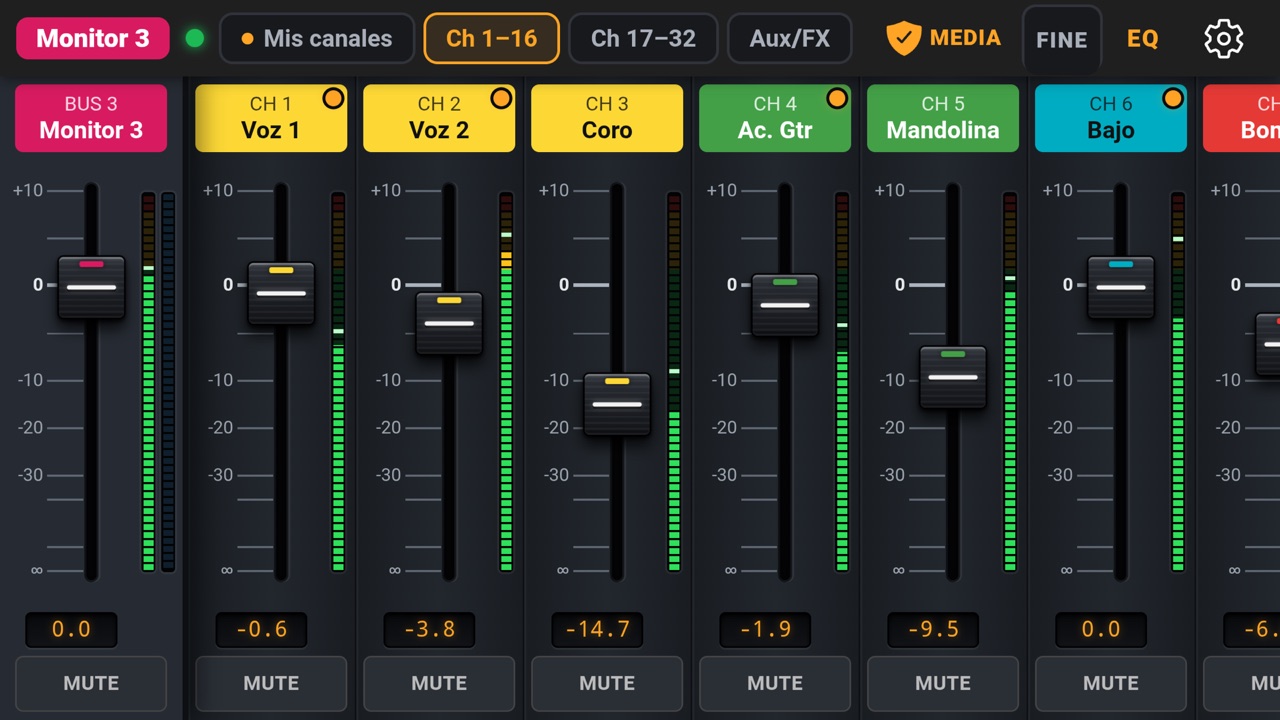
StageFader Mix-Q monitor mix: faders per channel with meters, console layers, ear protection and FINE button

Two apps, one for each side of the stage

They connect straight to the mixer over the console's Wi-Fi, with no accounts or internet. The engineer mixes with StageFader Mix and every musician sets their monitor with StageFader Mix-Q.

StageFader Mix-Q icon

StageFader Mix-Q

For the musician · free

Your monitor mix on your phone. Pick your bus by watching its signal and set how much of each channel you hear in your in-ears or wedge.

  • One fader per channel, with the console's name and color
  • Layers like on the console and your own group, My channels
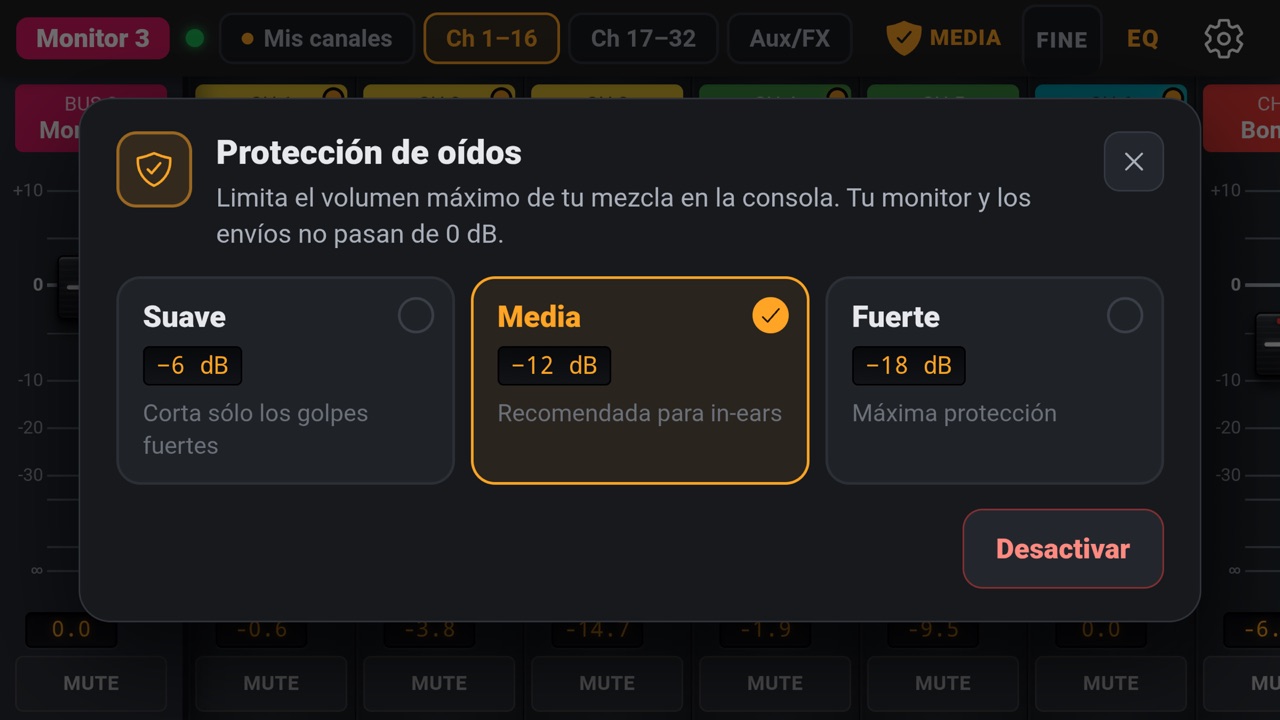
  • Ear protection: caps the maximum level of your mix
  • FINE button for precise moves, and real-time meters
  • Level, mute and EQ of your monitor, always at hand
  • Only changes your mix: never anyone else's

Android: available on Google Play · iOS: coming soon
Get it on Google Play →
StageFader Mix icon

StageFader Mix

For the engineer · free, with optional Pro

Remote control of the whole console: walk the room and adjust the mix from where the audience hears it.

  • Channels, Aux/FX, buses, DCA and main, with mute, solo and pan
  • Preamp, parametric EQ with analyzer, gate and compressor
  • My mix: a monitor's sends on the faders
  • Presets to apply channel settings in one tap
  • Scenes, effects, feedback tools and more with StageFader Mix Pro

Android: in closed testing on Google Play · iOS: coming soon
Sign up as a tester →

Built for the stage

Large controls, a dark screen and a connection that doesn't depend on the internet.

Just your local network

Your phone talks straight to the mixer over the console's Wi-Fi. No accounts, no cloud and no internet.

Protect your ears

Mix-Q caps your monitor's maximum level (Soft, Medium or Strong) and prevents volume jumps.

Everyone in their own lane

Musicians only move their own monitor; the main mix and everyone else's stay with the engineer.

Try it without a console

Both apps include a demo mixer so you can learn them before rehearsal, with every Pro feature.

No time limit

Stay connected for the whole rehearsal and the whole show: the free version doesn't cut out after a few minutes.

Undo mistakes

Touched the wrong fader mid-show? StageFader Mix Pro takes it back in one tap.

StageFader Mix-Q in action

Three taps and you're mixing: pick your monitor, build your channels and adjust.

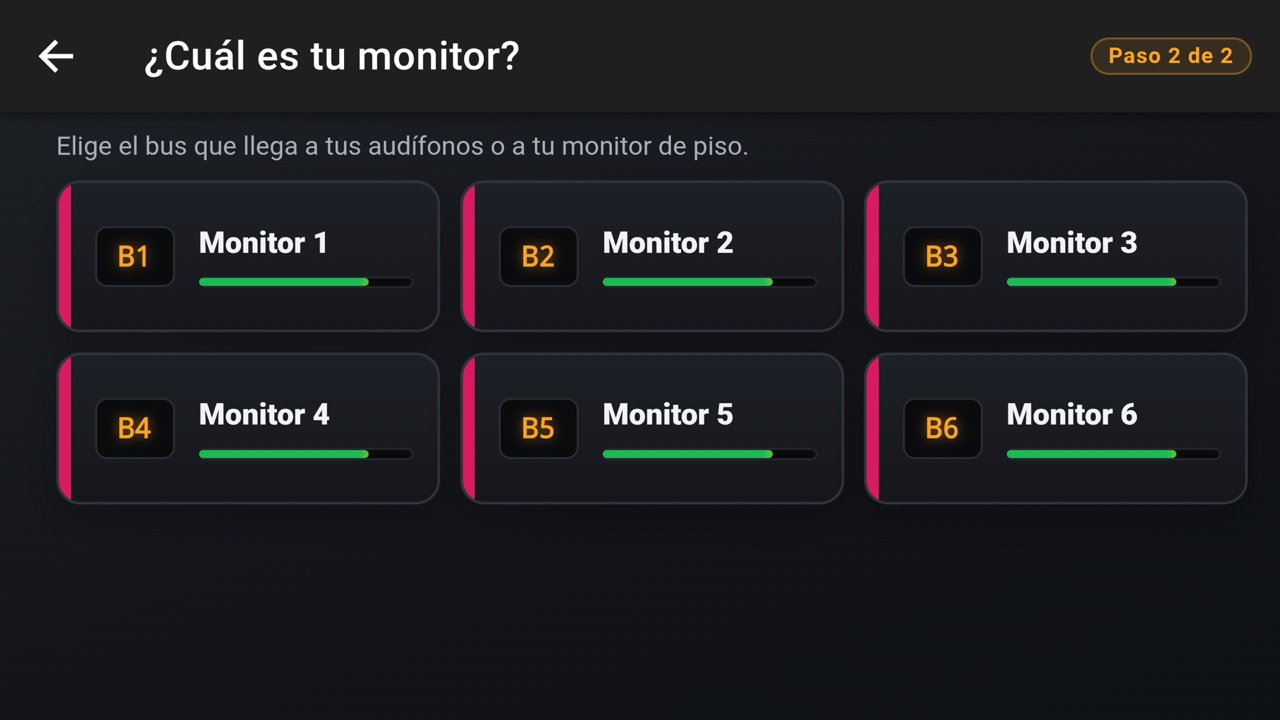
Screen to pick the monitor bus, with each bus's live signal
1. Pick your monitor
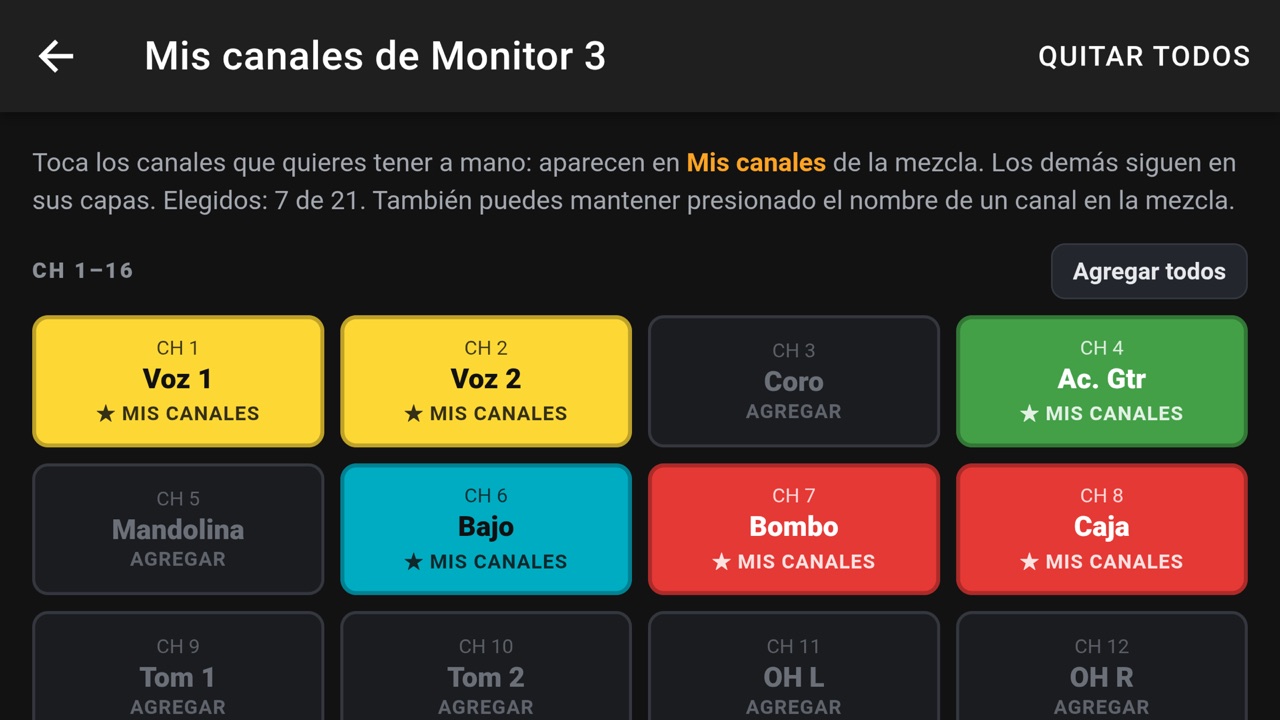
My channels screen, with channels grouped by console layer
2. Build My channels
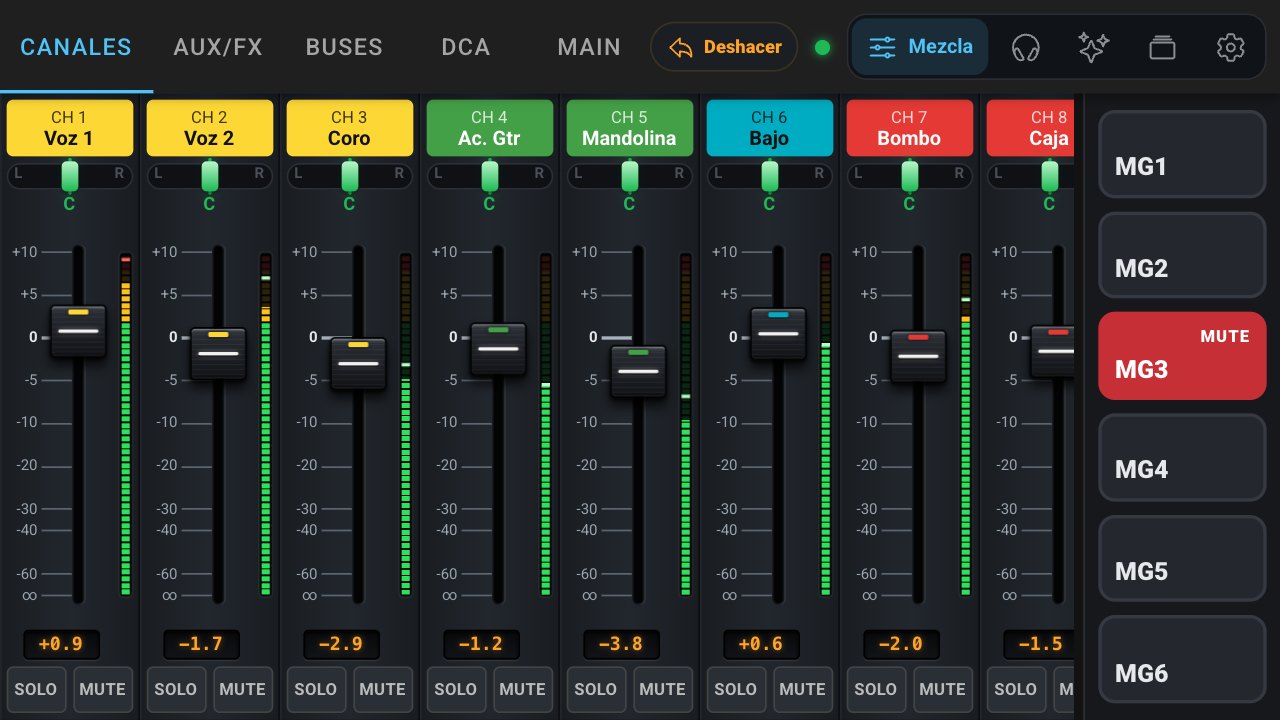
Mix with faders, meters and console layers
3. Adjust your mix
Ear protection with Soft, Medium and Strong levels
Ear protection: Soft, Medium or Strong

StageFader Mix in action

The whole console on your phone, for free. With StageFader Mix Pro, a one-time purchase with no subscription, you add the tools for the live show.

Channel mix with faders, meters, pan, solo, mute and mute groups
Mixing with layers and mute groups
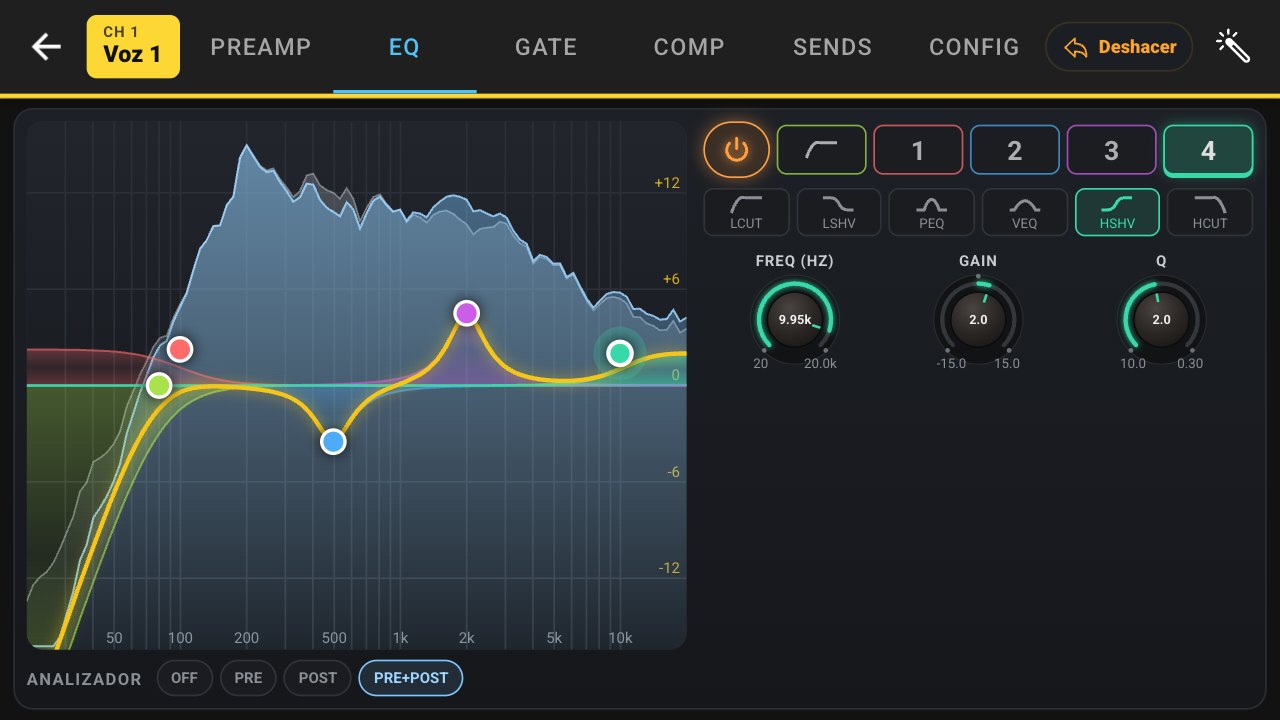
4-band parametric EQ with interactive curve and spectrum analyzer
EQ with interactive curve and analyzer
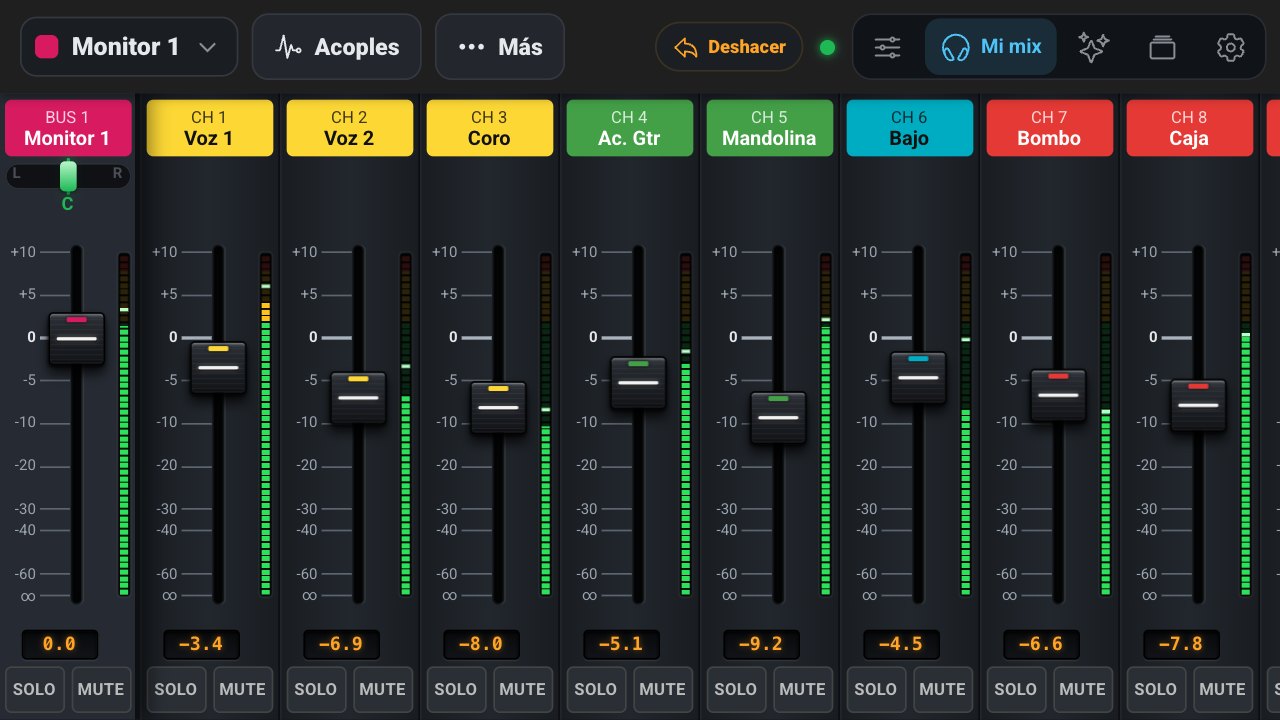
My mix: each channel's send to Monitor 1 on the faders
My mix: build each monitor in seconds
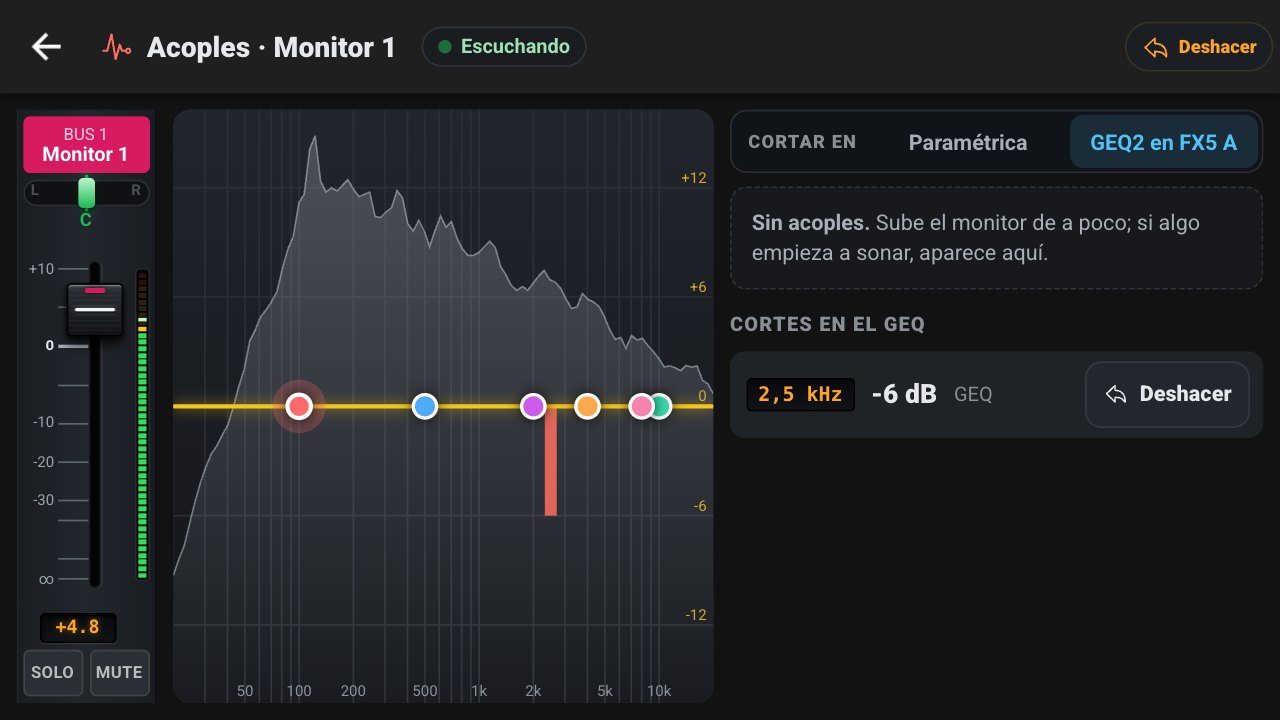
Feedback assistant with a −6 dB cut at 2.5 kHz on the monitor's GEQ
Feedback assistant (Pro)

StageFader Mix Pro one-time purchase · every compatible mixer

  • Scenes: save and load the console's scenes, protecting what you don't want to change.
  • Mute groups: mute the band, the vocals or the effects in one tap.
  • Effects: edit reverb, delay (with TAP) and the console's effects.
  • Feedback assistant: detects feedback on a monitor or the main and suggests the cut on the EQ or the 31-band GEQ.
  • Copy mix: repeat one monitor's mix on another.
  • Undo: take back a fader, a mute or an EQ, or several changes at once.
  • Send point: PRE or POST per channel, or for a whole monitor.

Compatibility

Digital mixers with network remote control:

  • X32
  • M32
  • XR18
  • XR16
  • XR12
  • MR18
  • MR12

Your phone must be on the same Wi-Fi network as the console. StageFader is an independent, unofficial app; it is not affiliated with Behringer, Midas or Music Tribe. The trademarks mentioned belong to their respective owners and are used only to indicate compatibility.